Summary
This document will cover the three security components that comprise GitHub Advanced Security
- Secrets Scanning
- Dependency Review
- Code Scanning
Secrets Scanning
GitHub scans repositories for known types of secrets, to prevent fraudulent use of secrets that were committed accidentally.
About secret scanning
Detect secrets, for example keys and tokens, that have been checked into private repositories. For more information, see “About secret scanning.”
Secrets Scanning Implementation
-
Login to the Github Enterprise
-
Navigate to the DDCOrg Organisation
-
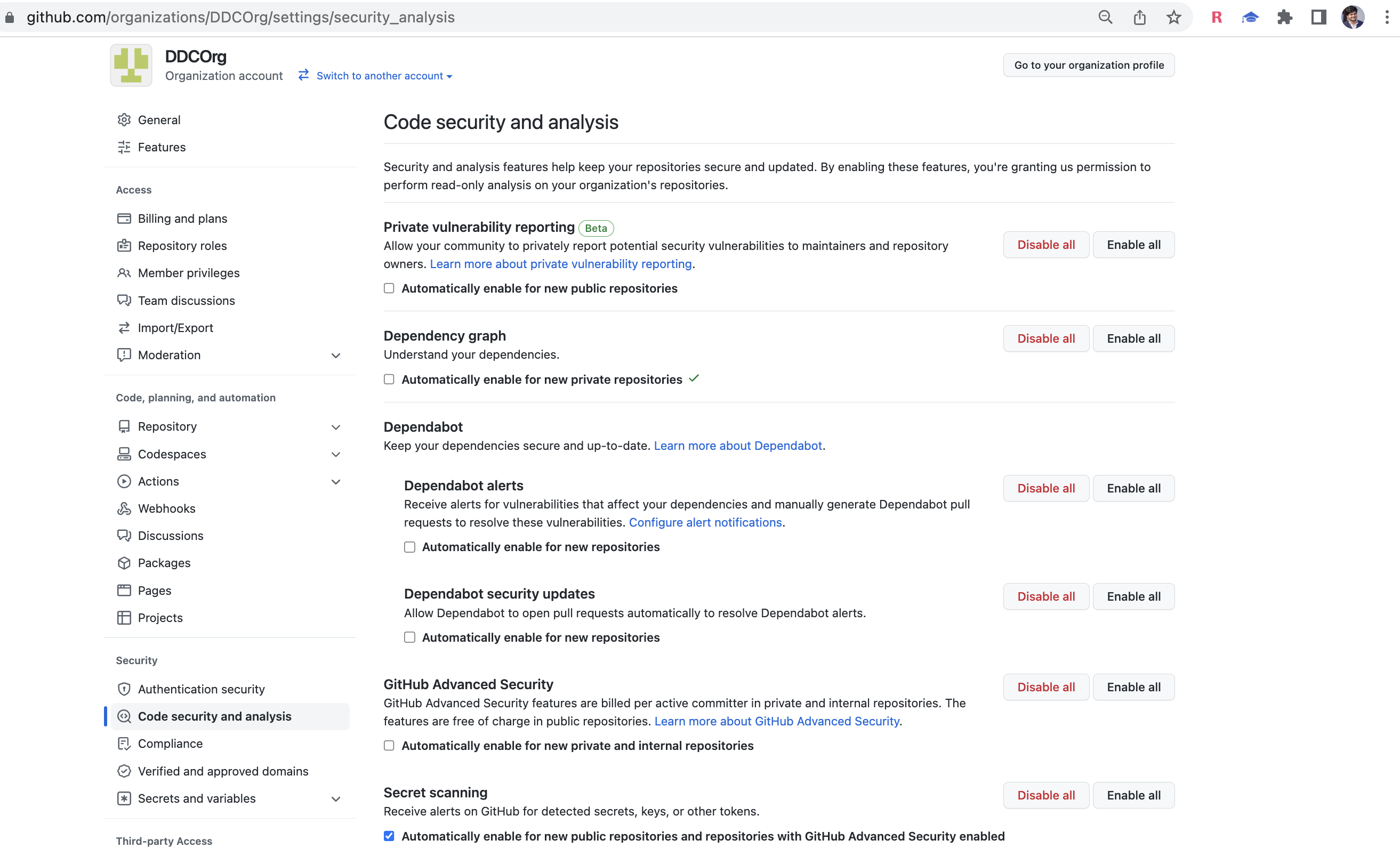
Go to the settings and click Code security and analysis under the security tab.
-
Right click on security scanning Link
Accessing secret scanning alerts
When you enable secret scanning for a repository or push commits to a repository with secret scanning enabled, GitHub scans the contents of those commits for secrets that match patterns defined by service providers.
If secret scanning detects a secret, GitHub generates an alert.
- GitHub sends an email alert to the repository administrators and organization owners. You’ll receive an alert if you are watching the repository, and if you have enabled notifications either for security alerts or for all the activity on the repository.
- If the contributor who committed the secret isn’t ignoring the repository, GitHub will also send an email alert to the contributor. The emails contains a link to the related secret scanning alert. The commit author can then view the alert in the repository, and resolve the alert.
- GitHub displays an alert in the Security tab of the repository.
For more information about viewing and resolving secret scanning alerts, see “Managing alerts from secret scanning.”
Dependency Scanning
Show the full impact of changes to dependencies and see details of any vulnerable versions before you merge a pull request. For more information, see “About dependency review.”
About dependency review
Dependency review lets you catch insecure dependencies before you introduce them to your environment, and provides information on license, dependents, and age of dependencies.
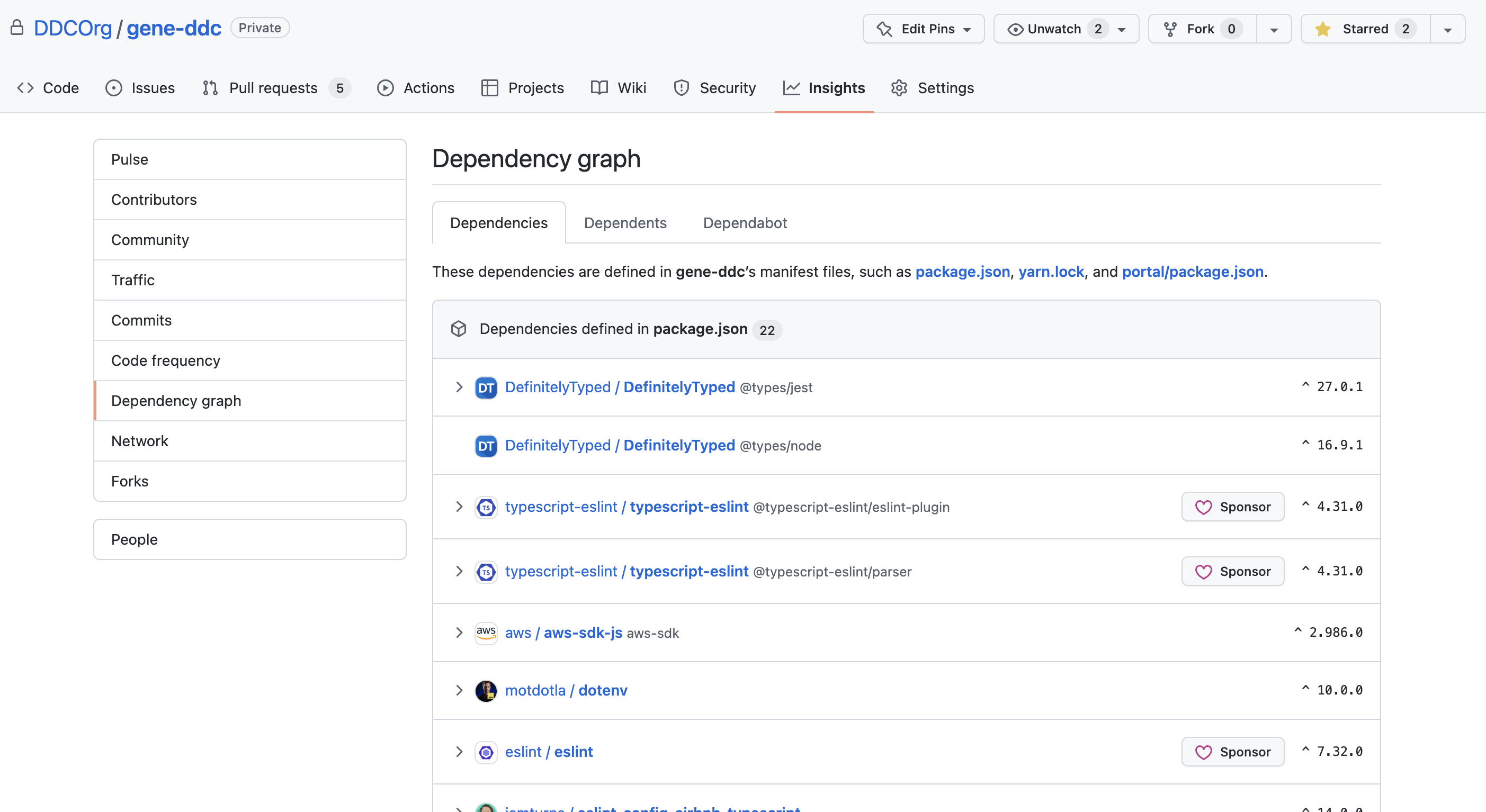
Implement the dependency graph
The dependency graph shows the dependencies and dependents of your repository. For information about the detection of dependencies and which ecosystems are supported, see “About the dependency graph.”
- Login to the Github Enterprise
- Navigate to the Organisation DDC
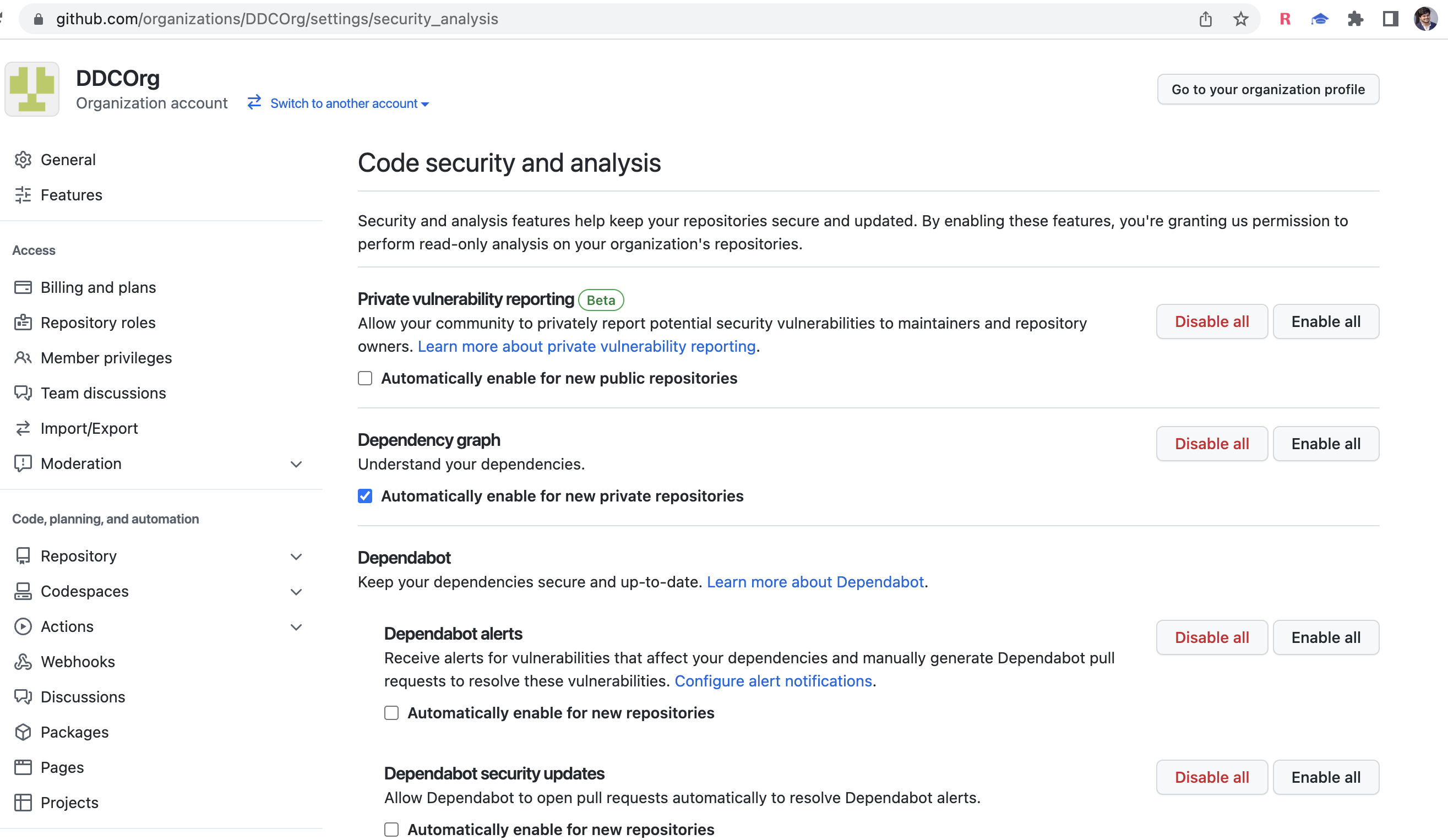
- Go to the settings and click Code security and analysis under the security tab.
- Right ticks on Automatically enable for new private repositories
Viewing the dependency graph
The dependency graph shows the dependencies and dependents of your repository. For information about the detection of dependencies and which ecosystems are supported, see “About the dependency graph.”
- On GitHub.com, navigate to the main page of the repository.
- Under your repository name, click
 Insights.

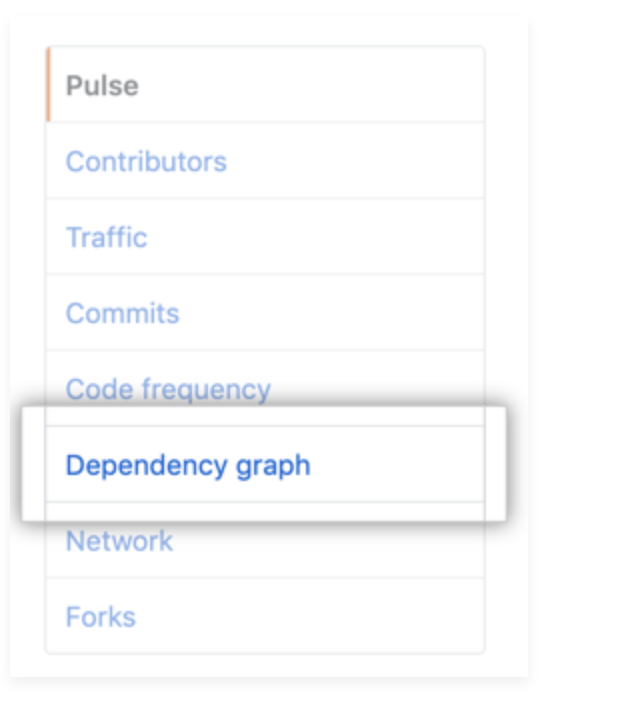
- In the left sidebar, click Dependency graph.
Dependencies view
Dependencies are grouped by ecosystem. You can expand a dependency to view its dependencies. Dependencies on private repositories, private packages, or unrecognized files are shown in plain text. If the package manager for the dependency is in a public repository, GitHub will display a link to that repository.
Dependencies submitted to a project using the Dependency submission API (beta), although also grouped by ecosystem, are shown separately from dependencies identified through manifest or lock files in the repository. These submitted dependencies appear in the dependency graph as “Snapshot dependencies” because they are submitted as a snapshot, or set, of dependencies. For more information on using the dependency submission API, see “Using the Dependency submission API.”
If vulnerabilities have been detected in the repository, these are shown at the top of the view for users with access to Dependabot alerts.